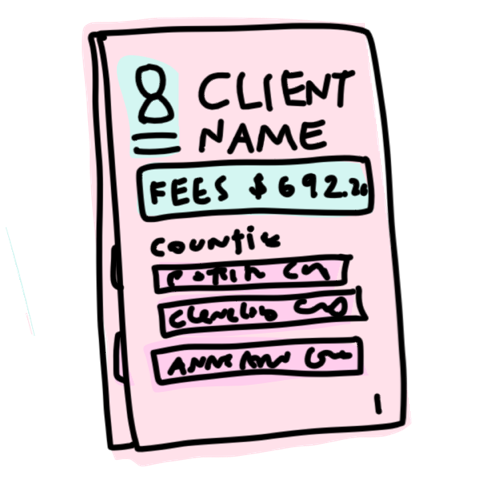
A reentry attorney needs the whole picture before the first meeting, which means every case in every county, every warrant, and every balance still owed. Here is what a tool does, in order, with a question for you at each step.
Answer the questions on the parts you know from your own practice. The Commons team reads every answer, fixes what the list gets wrong, and takes the harder questions to the cohort working on this area.
The search comes first, and it is where the costly errors happen. Two people share a name, one person’s cases sit in a dozen counties, and the client does not always remember all of them.
What a good tool does
Search the court record systems that cover the jurisdiction, rather than one county at a time.
Work out which cases belong to this person across those counties, and say what it matched on.
Find every case for the person, because a case left out can make every answer that follows wrong.
Hold back a case it is not confident about and put it in front of a reviewer as a question.
What it must never do
Attach a case to a person on a name match alone and leave the attorney to discover it.
What makes it hard to tell two people with similar records apart?
Answer this
Part 2
Pulling the facts out of each docket
Court pages are built for people to read rather than for a program to parse, and the layout changes from county to county. Reading the page and analyzing the case are two different jobs, and the architecture keeps them apart so each one can be checked.
What a good tool does
Turn each docket page into structured facts, covering the charges, the disposition, the fees assessed, the payments made, the warrants, and the probation status.
Keep the reading of the page separate from the analysis of the case, so the facts can be checked against the page they came from.
Keep a reference back to the page each fact came from.
Say when a page was unreadable or incomplete.
What it must never do
Fill a missing value with a plausible one.
Which fields are hardest to read off a docket page in your courts?
Answer this
Part 3
Flagging warrants and anything urgent
A missed warrant can mean a client is arrested at the courthouse, so this part carries more weight than anything else the tool does.
What a good tool does
Classify each warrant by what it is and by what it means for the client’s safety, because an order for arrest and a cite and release call for different advice.
Put the urgent items at the top of the report where nobody can miss them.
Treat a missed or misclassified warrant as a failure of the whole report rather than one wrong field.
Say when warrant status could not be confirmed from the record.
What would your office need to see about a warrant before taking a client in front of a judge?
Answer this
Part 4
Working out what the person owes
Reducing the debt is often the point of the meeting, and the numbers are spread across cases, counties, and payment records.
What a good tool does
Total the fines, the fees, and the payments for each case, and total them again across the counties.
Show the payment history rather than one balance, so the attorney can see what was paid and when.
Identify probation and deferred sentence status, because it changes what can be asked for.
Flag the amounts that do not appear in the online record and have to be chased by hand, such as fees held by another agency.
Which amounts never show up online where you are?
Answer this
Part 5
Saying what it could not get
Every court system has holes, including the years before the records went online and the cases held somewhere else. The report is worth more when it names them.
What a good tool does
List what it could not retrieve, with the reason.
Mark the periods the online record does not cover, so the attorney knows to ask the client about them.
Keep the gaps in the report itself rather than in a log nobody reads.
What it must never do
Report a clean record when the truth is that it could not see part of it.
How do you fill what is missing from your online court records today?
Answer this
Part 6
Writing the report the attorney uses
The report has to answer the questions an attorney asks before taking the case: whether the client can be brought in front of a judge safely, whether this office can represent them, and what can be done about what they owe.
What a good tool does
Organize the report by county, with a summary at the front.
Put the warrant flags, the payment history, and the follow up items where the attorney reads first.
Give the attorney a list of what still has to be done by hand.
Produce it in a format the office already uses, so it can be edited and kept with the rest of the case materials.
What it must never do
Decide the strategy, or stand in for the attorney’s judgment about the case or the client.
What does your office need in that report?
Answer this
Part 7
Checking the report against the court record
A report is worth what a reviewer can verify, so the review is part of the specification. The protocol walks a reviewer through the record in a fixed order.
What a good tool does
Check the emergency flags first, because those are the errors that hurt somebody.
Walk the reviewer through the full set of cases, then the probation and deferment entries, then the case by case comparison.
Compare the cases, the warrants, and the payment amounts against the court record itself rather than against another copy of the report.
Fail the report outright on a safety critical error, whatever else it got right.
Record the scores in a form, so results from different reviewers and different rounds can be compared.
Who would run that review in your office?
Answer this
What happens to what you write
Every note comes to the Commons team. We read it, correct what this list gets wrong, and publish a new version saying what changed. The questions that need practitioners to argue them out go to the cohort for this area, which writes the detailed specification from what comes back.
A note about one line is as useful as a note that adds a whole step. If what you know is which fees never appear in the online record, write about that.
The two agendas for this workflow
You are reading this one
Step-by-step agenda
This is the first round, and it collects what the people who do this work say a tool has to do, in the order the work happens and in plain words. Read it to argue with it, to correct it, and to say what your jurisdiction needs.
Not written yet
Functional agenda
The cohort writes the detailed specification after this round, using the answers that come back from this page. It numbers every capability, states the standard each one has to meet, and sorts them by the scope of the system being built, so a builder can build against it and an evaluator can test against it.